UNV 16MP UltraHD 8-Channel Network Video Recorder with 2 Hard Drive Bays and Intelligent Video Analytics (NVR502-08B-P8-IQ)
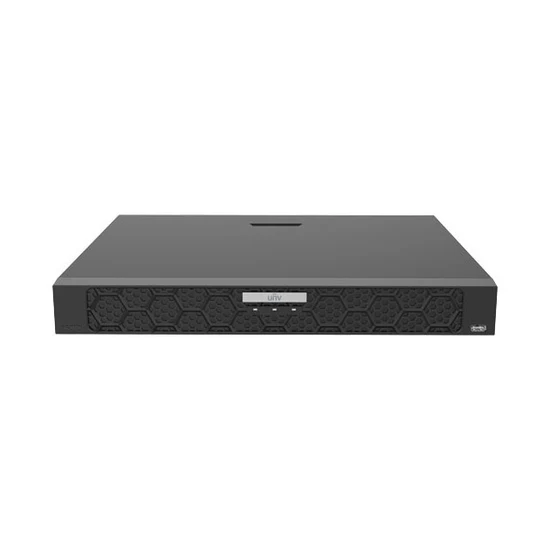
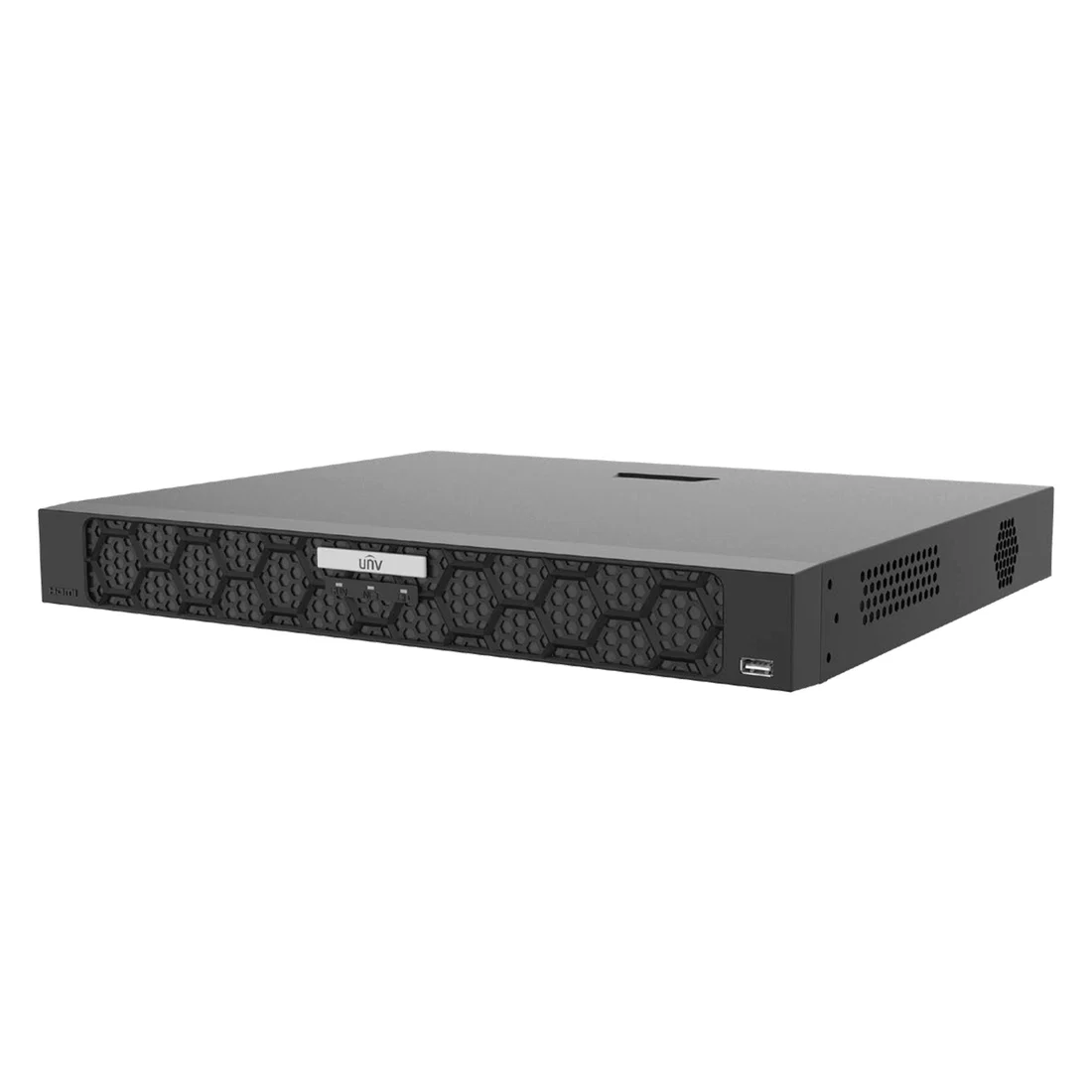
The NVR502-08B-P8-IQ NVR is an excellent option for video surveillance systems with up to 8 security cameras. Each channel is capable of recording up to 16MP, which means this is a great option for all of your cameras with a resolution of 4K and up. With two hard drive bays capable of recording up to 16TB, you'll have plenty of storage space for all of your surveillance footage.
As part of the Uniview IQ NVR series, this recorder comes with an intelligent analyzer for upgraded artificial intelligence capabilities. Unlike standard Uniview NVRs, this NVR is capable of processing intelligent events on the NVR side, which means you can connect third party ONVIF cameras to your NVR and still have access to the suite of Uniview deep learning AI algorithms. The intelligent analyzer has three functions.
Facial Recognition
Store a library of face snapshots in your NVR and set up alerts anytime the NVR does or doesn't recognize someone from your lists. This is a great way to white list or black list your property, or simply display a monitor to greet employees as they walk into work.
This NVR can have up to 8 channels with facial recognition as long as all 8 channels are native Uniview cameras. You can only connect up to two third party cameras to use with facial recognition, since third party cameras take more processing power.
Smart Intrusion Prevention (SIP) EventsVideo recorders are the heart of your cctv system. With the NVR502-08B-P8-IQ you can be sure that your security cameras are in good hands. This IP video recorder is perfect for standard installations with up to 8 security cameras.
The NVR502-08B-P8-IQ is just what your system needs to ensure fast, powerful, and reliable surveillance 24/7.
This is the traditional intelligent events that we're used to seeing on Uniview cameras: line crossing, intrusion detection, area entrance, and area exit. The difference is, this now works on the NVR side and not just the camera side. This has two benefits.
Like we've already mentioned, you can connect 3rd party cameras to your Uniview NVR and still have access to these intelligent events. Whether you have an R-Series camera, a Hikvision camera, or anything else that supports the ONVIF protocol, you can now have Uniview's intelligent events working seamlessly across all your cameras. This even works for Uniarch cameras, which don't come with any AI events.
But you can also use this with native Uniview cameras to expand their functionality. Have you ever wished you could enable both intrusion detection and people counting at the same time? With intelligent events working on the camera's side, this isn't possible. You can't have both SIP events and other events active at the same time. At least you couldn't in the past! But with Uniview' IQ NVR, you can enable people crossing or another event on the camera side and still have SIP events working on the NVR side. It's a win-win!
You can enable SIP events on up to 4 channels on this NVR.
Get Your Uniview IQ NVR Today!
Uniview's IQ NVRs provide an excellent opportunity for you to expand your current Uniview system. It's now easier than ever to integrate existing CCTV cameras into your Uniview video surveillance system. Get yours today!
NVR502-08B-P8-IQ
Recorder
16MP
Up to 16MP Resolution
2 SATA HDD
Up to 16TB each
8 POE Ports
Easy Plug-and-Play
3 Year Warranty
Warranty Information
Video recorders are the heart of your cctv system. With the NVR502-08B-P8-IQ you can be sure that your security cameras are in good hands. This IP video recorder is perfect for standard installations with up to 8 security cameras.
The NVR502-08B-P8-IQ is just what your system needs to ensure fast, powerful, and reliable surveillance 24/7.
Easy Plug-and-Play Interface
Connect up to 8 IP cameras to the integrated Power-over-Ethernet (PoE) ports for a truly plug-and-play surveillance experience. Each security camera only requires a single ethernet cable to connect it to the NVR thanks to PoE technology.
This all-in-one ethernet cable provides both power and video transmission to the camera up to 300ft. This means that you won't need to run a separate power cable to your cameras, making installation much easier!
Recording Schedules
If you want 24/7 video recording, the NVR502-08B-P8-IQ NVR is a great choice. You can rest assured that your surveillance system never misses a moment with it's ability to add 2 Hard Drive/s, Up to 16TB each.
You can also setup custom recording schedules based on days and times of the week, or based on events such as motion detection.
NDAA Compliant
This model is compliant with the NDAA (National Defense Authorization Act), meaning it's safe to use and install on U.S. government properties. It was constructed with trusted and reliable technology at its core.
Local & Remote Viewing
This NVR can be used with or without being connected to the Internet. You can view your NVR locally by connecting it to any HD-TV or monitor. If connected to the internet, you are also able to view your NVR remotely by downloading the following app to your smart device.
| SPECIFICATION | |
|---|---|
| IP Channels | 8 |
| Max Resolution | 16MP |
| Max Incoming Bandwidth | 320Mbps |
| Max Outgoing Bandwidth | 160Mbps |
| Video Compression | Ultra H.265|H.265|H.264 |
| Hard Drive Slots | 2 |
| Hard Drive Capacity | Up to 16TB each |
| Synchronus Playback | 16ch |
| Audio I/O | 1ch / 1ch |
| Alarm I/O | 8ch / 2ch |
| Onvif Compatible | Yes |
| Power Supply | 100-240VAC |
| Power Consumption | ≤ 12W (Without HDD) |
| Operating Temperature | ‑10°C ~ + 50°C (+14°F ~ +122°F) |
| Dimensions | 380mm × 322mm × 53mm (15.0"×12.7"×2.1") |
| Weight | ≤ 2.7Kg (6.0lb) |
| SOFTWARE | |||
|---|---|---|---|
| Name | Description | Version | Download |
| EZ Station | Unified management for Uniview IP Cameras and NVRs. | v1130.3.17.1 | Download |
| EZ Tools | Uniview tool kit for device search and upgrade, remote configuration, recording time and capacity calculation. | v1122.2.6.0 | Download |
| EZ Player | Media player for local recordings. | v1111.1.3.0 | Download |
| Windows Plugin | This is the web plugin for Windows. After installation, you will be able to live view most of Uniview IPC/NVR on IE for Windows. | Download | |
| EZ Station | Unified management for Uniview IP Cameras and NVRs. | v1113.3.15.2 | Download |
| MAC Plugin | This is the web plugin for Mac OS. After installation, you will be able to live view most of Uniview IPC/NVR on Safari for Mac. | Download | |
